 ShiftChain · iPhone
Is one alarm
ever enough?
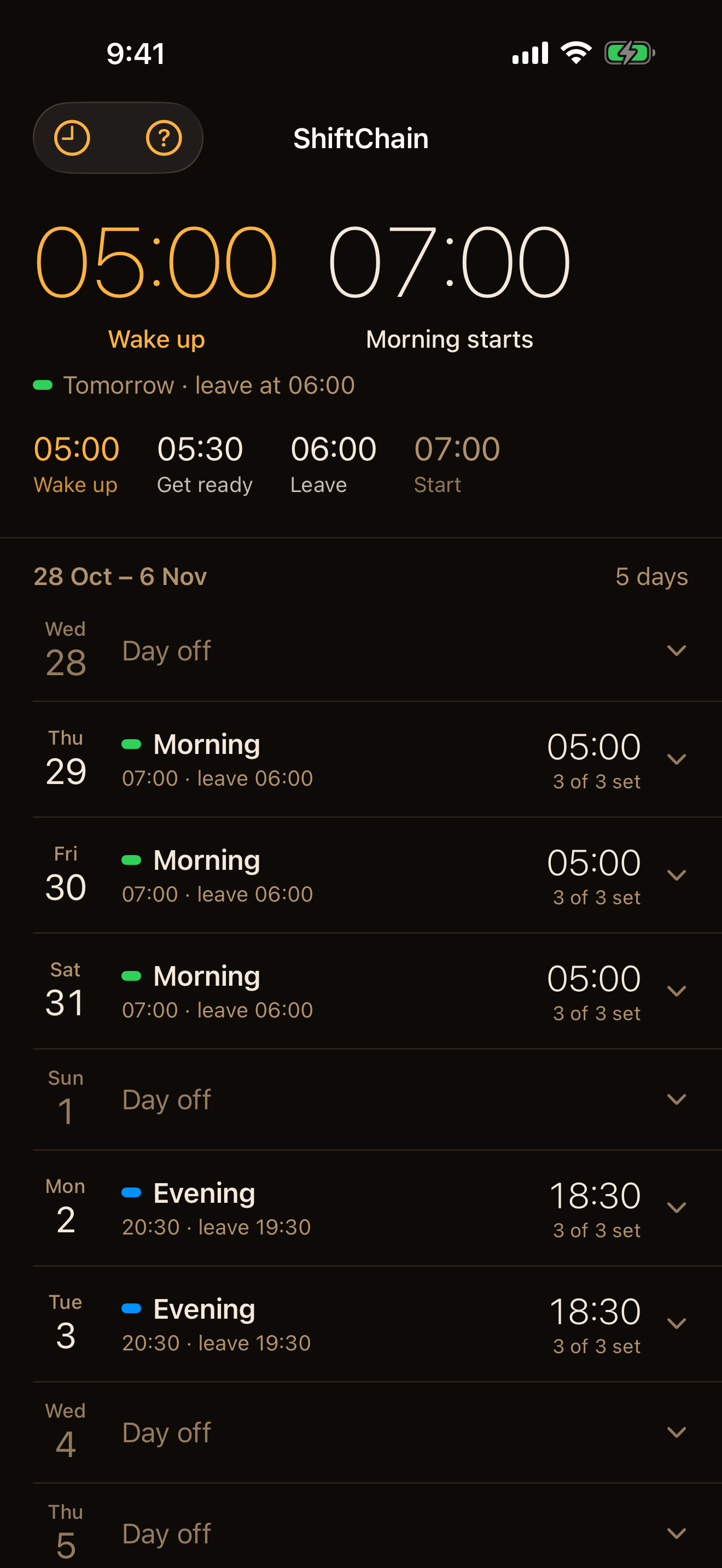
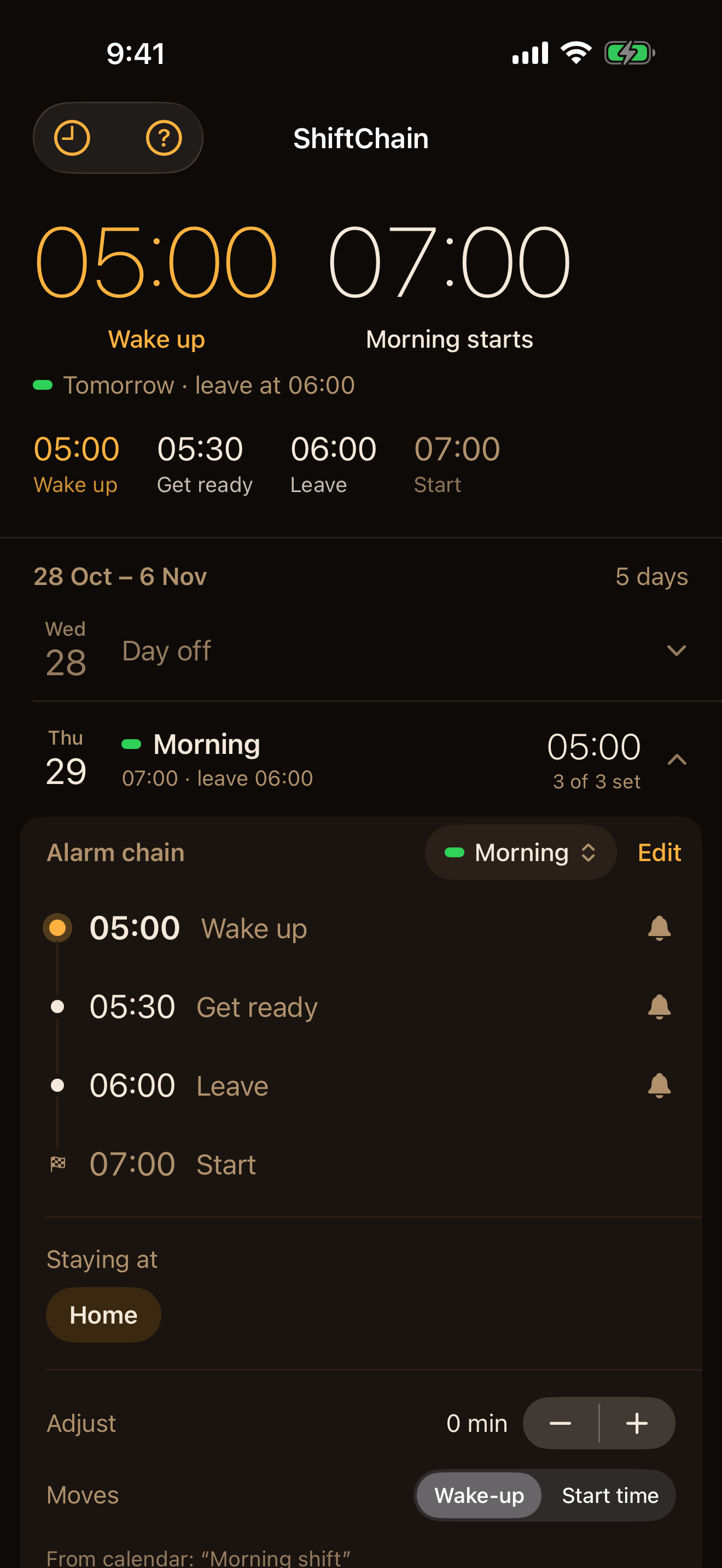
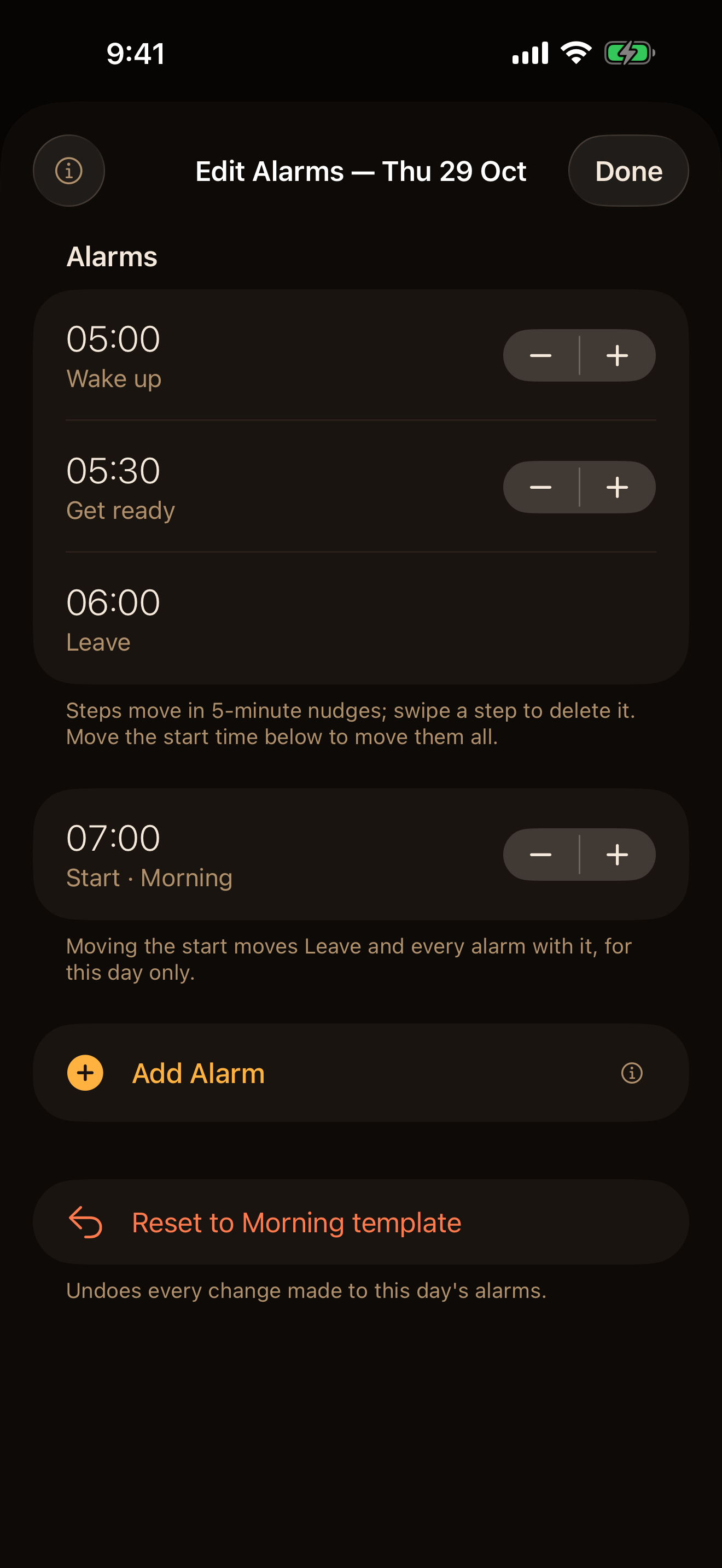
The one that wakes you, the one that says get in the shower, the one that means leave now. ShiftChain sets them as a chain - 05:00, 05:30, 06:00 - and when the routine's start or end moves, every alarm moves with it.
Free of accounts, ads and tracking. Needs iOS 26 or later.
Two ways to say when.
Give it a routine - the steps before you leave and the time you have to be there - and it schedules every alarm for every day, without being asked.
- Repeat days
- A routine that runs Monday to Friday, or whichever weekdays you pick. Chains are created two weeks ahead, no calendar needed.
- Calendar
- If your days are already in iCloud, Google, Exchange or a subscribed work calendar, tell ShiftChain which event titles mean which routine - “Early”, “Night ×”, “AM Ward 4” - and it reads them from there. On a rotating roster, this is the one for you.
Set it up once.
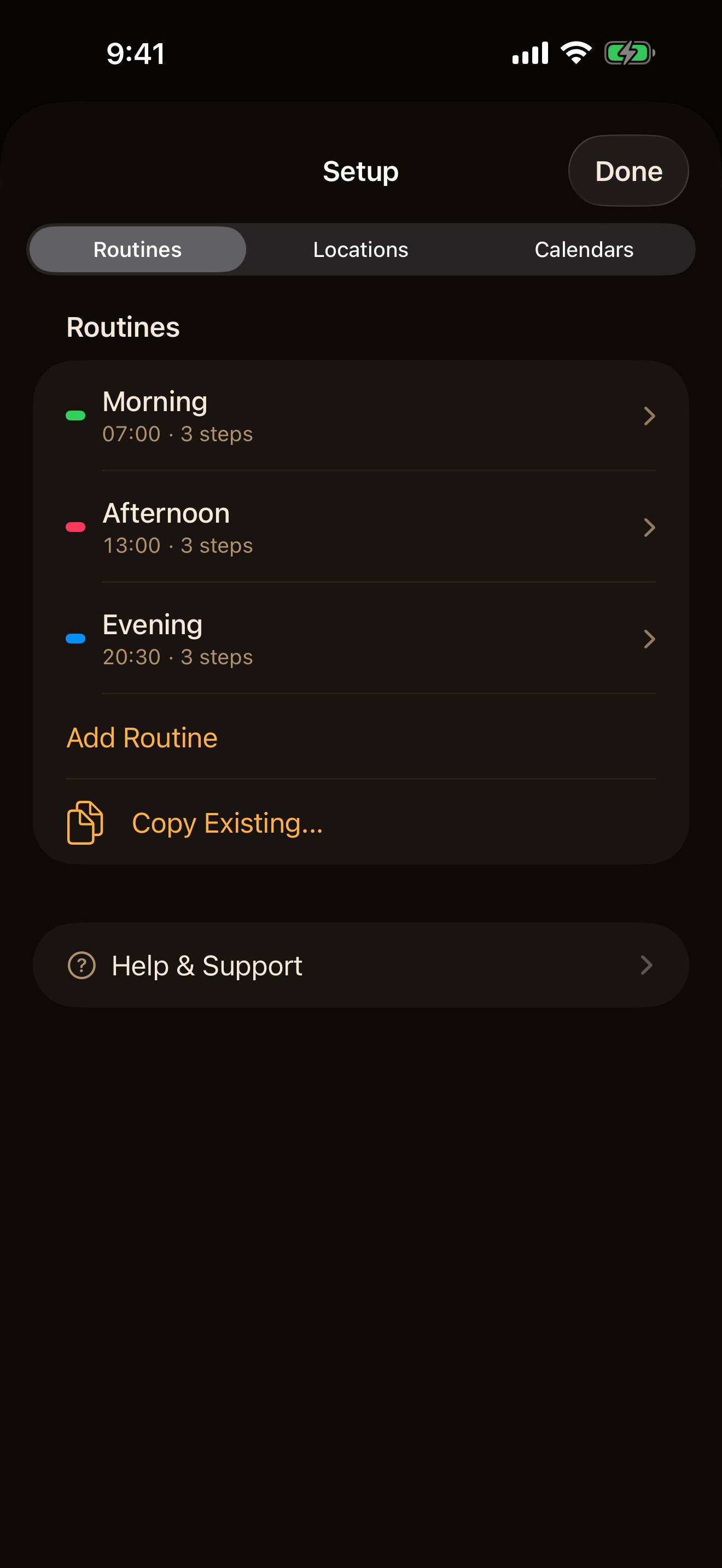
- 1 Create a routine: a name, a colour, a start time.
- 2 Say when it happens: repeat days, or keywords that match your calendar.
- 3 Give each place you leave from a travel time.
- 4 Build the steps before you leave - wake, shower, breakfast - each offset from the one after it.
Leave is start time minus travel time, and everything else falls out from there. There's no Activate button to forget: every time you open the app it checks the next 60 days and sets whatever is missing. Roster changed? It shows you which days moved, which were cancelled and which are new.
Real alarms, not notifications.
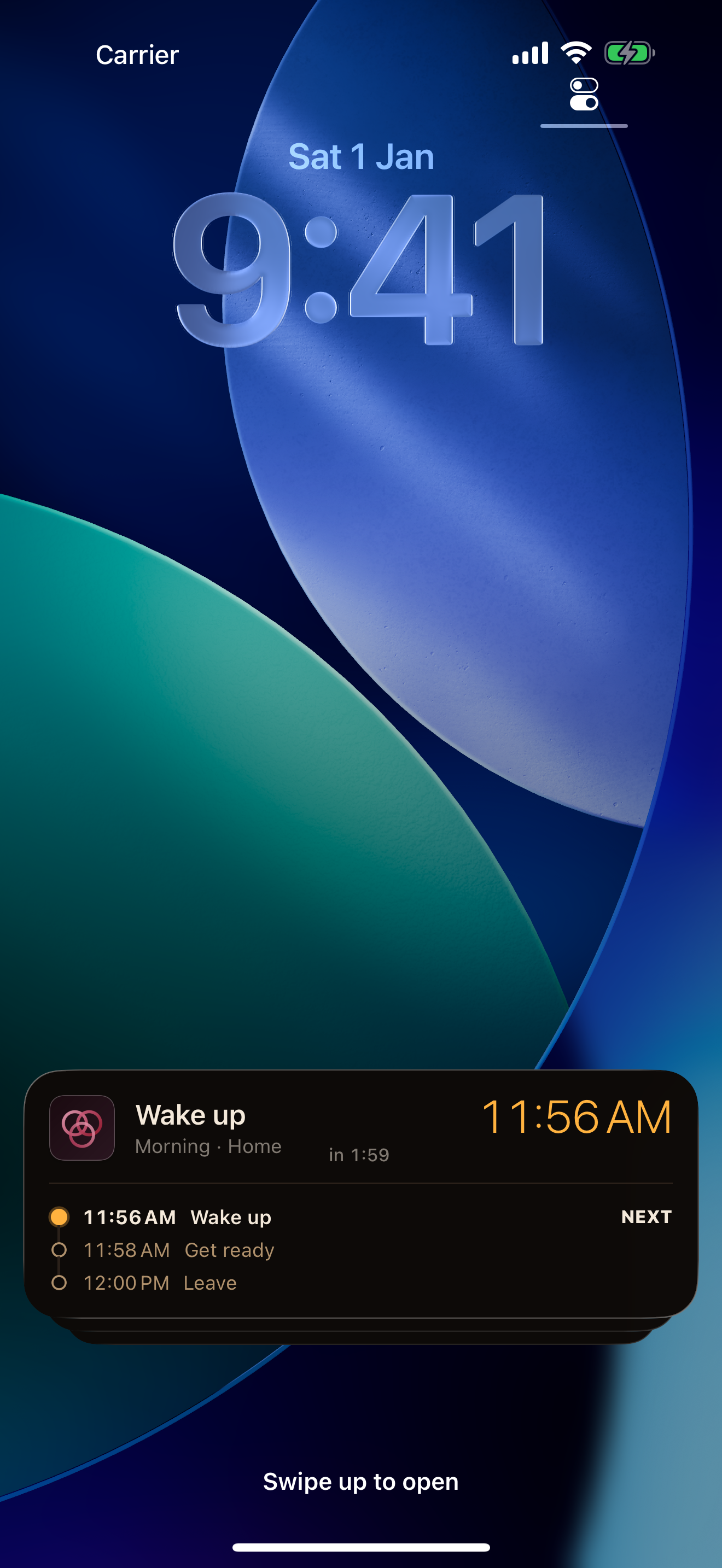
Built on Apple's AlarmKit, so these are alarms in the system sense: they ring through silent mode and survive a restart. Your Lock Screen carries the whole chain for the day - finished steps ticked off, the live one marked next - so at 5am you can see what's coming without unlocking anything. Same in the Dynamic Island.
Rescheduling always sets the new alarms before cancelling the old ones, so a failure halfway through can never leave you with no alarm at all.
Change a day without breaking the routine.
- Swap the location for one day without touching its stored travel time
- Nudge a whole day, or a single step, earlier or later
- Silence one alarm and keep the rest of the chain
- Add a one-off alarm to any day, then keep it in the routine's steps if it sticks
- Two events matching the same day? Pick the real one inline
- Assign a routine by hand, mark a day off, or revert a day to the calendar
It started with one shift worker.
Her roster changed every week, it lived in her calendar, and every change meant resetting a handful of alarms one by one. Painful! So the app read the calendar and set the whole chain for her.
Then she took a job with regular hours, and the chain turned out to be the point: the same steps, set once, run as one. Routines on repeat days came next. The name stayed.
No account. No server. No ads. The app contains no network code at all. It reads your calendar on your device and never writes to it, and nothing you enter ever leaves your iPhone.